

Skip to content
Cinematic Presets

One-click film looks.

Pick a preset and it preloads the grade, mood, depth of field, lens and more in the cinematic prompt generator — just add your character and environment photos, then generate.

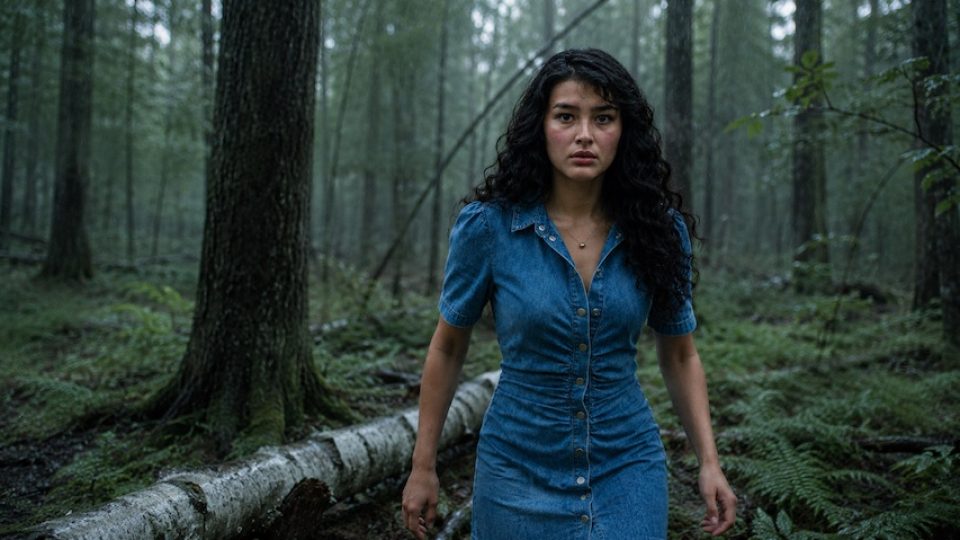
Gritty War Epic

Color grade
Desaturated teal-grey
Condition
Overcast, light rain
Shot size
Medium shot
Lens / perspective
85mm, eye-level
Depth of field
Shallow-medium
Key light direction
Soft frontal-overhead
Falloff / blacks
Lifted, matte
Expression / pose
Grim, mid-charge
Use this look Preloads all 9 settings — add your two photos and generate.
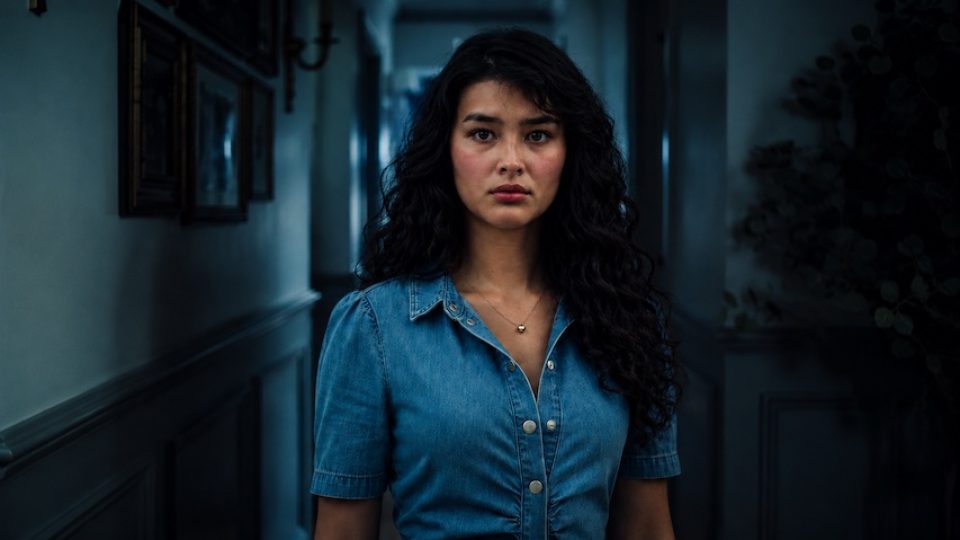
Psychological thriller / horror

Cold Dread Hallway

Color grade
Cool teal / desaturated blue
Condition
Night interior
Shot size
Medium close-up (chest-up)
Lens / perspective
50–85mm, eye-level, compressed
Depth of field
Shallow (soft background)
Key light direction
Front, slightly above
Falloff / blacks
Deep, crushed blacks
Expression / pose
Still, neutral-to-apprehensive
Use this look Preloads all 9 settings — add your two photos and generate.
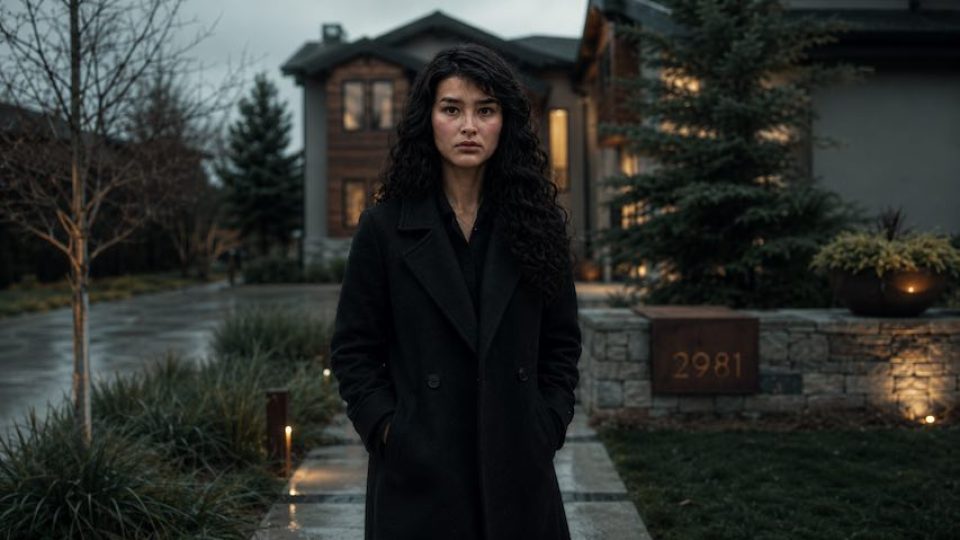
Political thriller / espionage, somber

Whitehall Fog

Color grade
Desaturated teal-grey + olive/amber accents
Condition
Overcast day, late autumn, damp
Shot size
Medium wide
Lens / perspective
85mm tight portrait
Depth of field
Shallow-medium
Key light direction
Soft frontal-overhead
Falloff / blacks
Lifted, matte
Expression / pose
Tense, guarded; forward stride, hands in pockets
Use this look Preloads all 9 settings — add your two photos and generate.

Presets set the creative dials only. Your photos are still read once and never stored.

How presets work

A head start, not a straitjacket

1

Pick a look

Each preset sets the grade, mood, lighting, lens, framing and expression in one click.

2

Add your photos

Upload a character and an environment photo in the generator — the look is already dialed in.

3

Tweak and generate

Change any setting you like, generate, and copy your ready-to-paste film-still prompt.

Keep creating

More free tools for image makers