Best Google Games: 9 Free Picks to Play in Your Browser
Play the best Google games free in your browser: Snake, Pac-Man, Chrome Dino, Doodle games and more, with what to search and a quick tip for each one.

In this article 12 sections
- Searching play snake opens Google's game panel, which links to Snake, Solitaire, Minesweeper, PAC-MAN and more.
- Chrome Dino is the only Google game that works offline, and you can open it anytime at chrome://dino.
- Doodle Champion Island Games is Google's biggest browser game, with seven sports mini-games and plenty of side quests.
- Past Google Doodle games live on in the Google Doodles library, and you can replay them for free.
- Some Google hidden games, such as Atari Breakout and Zerg Rush, have been retired, so older lists online can be out of date.
The best Google games are free and open in seconds: search play snake for Snake, PAC-MAN, Solitaire, Minesweeper and more, type chrome://dino in Chrome for the dinosaur runner, or browse the Google Doodles library for bigger games like Champion Island. None of them need a download or an account.
This list sticks to games Google made itself, including Google hidden games tucked inside Search and Chrome, Google Doodle games and a couple of AI and art experiments. Every one is real and playable today, which is worth saying because gaming rumors spread fast (we recently checked whether Assassin's Creed Destiny is real).
| Game | How to open it | Best for |
|---|---|---|
| Snake | Search play snake |
Two-minute breaks |
| PAC-MAN | Search pac-man |
Retro arcade fans |
| Solitaire and Minesweeper | Search the game's name | Calm solo puzzles |
| Tic-Tac-Toe and Memory Game | Search the game's name | Kids and two players |
| Chrome Dino | Type chrome://dino in Chrome |
Offline moments |
| Champion Island Games | Search champion island games |
A longer adventure |
| Classic Doodle games | Google Doodles library | Variety and nostalgia |
| Quick, Draw! | Visit quickdraw.withgoogle.com |
Drawing against AI |
| Puzzle Party | Google Arts & Culture, Play section | Group jigsaw puzzles |
1. Snake: the Google game most people are looking for
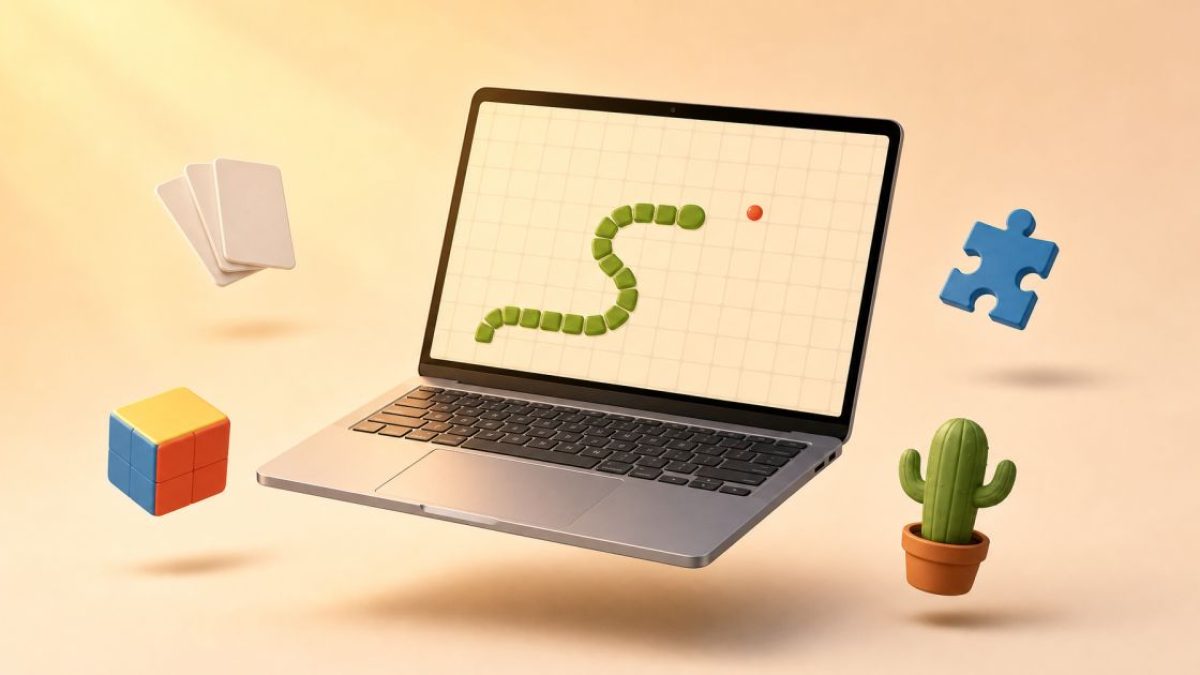
How to open it: search snake or play snake and click Play. In many countries this opens a Games from Google panel with Snake at the top, a Daily challenge button and a grid of other games underneath.
What it is: the classic phone game with a fresh coat of paint. Steer with the arrow keys or by swiping, eat the apples and never run into your own tail. The settings gear lets you change the map, speed and snake size, or swap the apples for other fruit.
Why it's worth it: a round lasts a minute or two, so it suits a short break. The panel's grid is also the easiest route to the rest of this list, plus extras like Block Breaker, a bounce-the-ball brick game, and Doodle favorites such as Baseball and Garden Gnomes.
Tip: start on the slowest speed and keep the snake moving along the edges, which leaves the middle of the board open for turns.
2. PAC-MAN: Google's first playable Doodle
How to open it: search pac-man or pacman doodle, then click the game to start.
What it is: Google's first interactive Doodle, launched on May 21, 2010, to mark PAC-MAN's 30th anniversary. The maze spells out the Google logo, and the game was only meant to run for 48 hours. It proved so popular that Google gave it a permanent home, and it is still one of the best-known Google Doodle games.
Why it's worth it: it plays like the arcade original, ghosts and all. Press the insert coin button a second time and a friend can join as Ms. Pac-Man, using the W, A, S and D keys.
Tip: play on a keyboard. Swiping on a phone works, but tight corners are much harder to make in time.
3. Solitaire and Minesweeper: the office PC classics
These two free Google games recreate the puzzles that came preinstalled on Windows PCs for years. Both open right in the search results and work with a mouse or touch.
Solitaire
How to open it: search solitaire. You get classic Klondike with an Easy mode (one card turned from the deck at a time) and a Hard mode (three at a time), plus an undo button.
Tip: before moving cards up to the foundation piles, focus on turning over the face-down cards in your longest columns.
Minesweeper
How to open it: search minesweeper and pick an Easy, Medium or Hard board. Click to dig, and right-click (or long-press on a phone) to plant a flag. Each number shows how many mines touch that square.
Tip: only flag a square when the numbers prove a mine is there. Early guesses end more games than anything else.
4. Tic-Tac-Toe and Memory Game: easy picks for kids and pairs
Tic-Tac-Toe (called noughts and crosses in the UK) opens when you search tic tac toe. Play Google on Easy, Medium or Impossible, or switch to two-player mode and share one screen with a friend.
Memory Game opens when you search memory game. Flip cards two at a time to find matching pairs. It's short, quiet and simple enough for younger children.
Tip: treat Impossible mode as practice. The computer never loses, so a draw is the best result, and it teaches you to block lines fast. In Memory Game, flip cards in order, row by row, so their positions are easier to remember.
5. Chrome Dino: the hidden game for when your Wi-Fi drops
How to open it: in Chrome, type chrome://dino into the address bar. It also appears on its own when Chrome can't connect: press the space bar on the offline page, or tap the dinosaur on a phone. Because it's built into Chrome, it won't load in Safari or Firefox.
What it is: an endless runner. Jump over cacti with the space bar or up arrow, and duck under pterodactyls with the down arrow. In Google's interview with the Dino's creators, the Chrome team described it as a joke about going back to the prehistoric age when you lose Wi-Fi, and said in 2018 that it was played 270 million times a month.
Why it's worth it: it's the only Google game that works with no internet at all. One catch: Google lets schools and employers switch it off, so it may be missing on a managed laptop.
Tip: the game speeds up as your score climbs, so watch the ground ahead of the dinosaur rather than the dinosaur itself. Don't expect to finish it: its creators say it was built to max out at about 17 million years.
6. Doodle Champion Island Games: Google's biggest browser game
How to open it: search champion island games, or click the Champion Island tile in the Games from Google panel.
What it is: a retro, 16-bit style adventure made for the Tokyo 2020 Olympics, which took place in 2021. Google built it with Japanese animation studio Studio 4°C and called it its largest interactive Doodle at launch. You play Lucky, a calico cat, exploring an island and taking on seven sport champions in table tennis, skateboarding, archery, rugby, artistic swimming, climbing and marathon.
Why it's worth it: it feels like a small console game, with side quests, hidden challenges and characters drawn from Japanese folklore. You move with the arrow keys and act with the space bar, and it also runs on phones. If it leaves you wanting a much bigger world to explore, see what's new with Minecraft on Nintendo Switch 2.
Tip: set aside a proper session. Beat the seven champions first for the main story, then go back for the side quests.
7. More Google Doodle games worth replaying
How to open them: search a game's name, or browse Google's library of interactive Doodles, which keeps past playable Doodles in one place. These are the best Google Doodle games beyond PAC-MAN and Champion Island:
- Magic Cat Academy: draw spell shapes with your mouse or finger to defeat ghosts as Momo the cat. Search
magic cat academy. - Coding for Carrots: snap code blocks together to guide a rabbit to its carrots. Made to mark 50 years of coding languages for kids, it's a gentle first step into programming.
- Garden Gnomes: launch gnomes across a garden with a catapult and see how far they fly.
- Rubik's Cube: a working 3D puzzle cube you twist with your mouse or keyboard.
- Cricket: bat as a cricket (the insect) against snail bowlers. It's a painless intro to the sport for US readers.
- Baseball: hit pitches thrown by peanuts, with snack foods in the field. UK readers get the reverse lesson.
Tip: bookmark the ones you enjoy, because the library holds a huge number of Doodles and favorites are easy to lose. If an older game won't start on your phone, try a desktop browser.
8. Quick, Draw!: a drawing game against Google's AI
How to open it: go to quickdraw.withgoogle.com in any browser and press the button to start.
What it is: an AI experiment from Google Creative Lab that works like a speed round of Pictionary. You get a word, then 20 seconds to draw it while a neural network calls out guesses, over six rounds. Afterward you can see what the AI thought you drew and how other players sketched the same word.
Why it's worth it: it's funny, fast and a hands-on look at how machine learning recognizes patterns. If it sparks your curiosity about Google's newer tools, here's how Google's Gemini assistant works.
Tip: draw the most recognizable feature first, such as the handle on a mug or the ears on a rabbit.
9. Puzzle Party and other Google Arts & Culture games
How to open it: open the Google Arts & Culture website or app and look for its Play section. When Google launched the collection, its announcement on the Google blog pointed players to the short link g.co/artgames.
What it is: Puzzle Party turns more than 500 artworks into online jigsaw puzzles, with three difficulty settings. You can play solo or share a puzzle so friends and family solve it together, with no cap on how many people join. The same collection includes Visual Crosswords, which you solve with images instead of letters, and What Came First?, a quick timeline quiz.
Tip: start a puzzle on a video call with relatives and pick the easiest setting if kids are joining. For more free tools that are worth your time, browse our Tech & Tools guides.
Frequently asked questions
Are Google games really free?
Can you play Google games on a phone or tablet?
Which Google games work offline?
What happened to Atari Breakout and Zerg Rush?
Why doesn't a Google game appear when I search for it?
Does Google save my high scores?
The bottom line
If you only try one thing, search play snake. It opens Google's game panel and puts most of this list a click away. Keep Chrome Dino in mind for the next time your connection drops, and save Champion Island for an evening when you want something closer to a real adventure.
Your next step: bookmark Google's interactive Doodles library so the bigger Google Doodle games are one click away whenever you need a proper break.
Sources
Facts checked as of October 21, 2026.
- Google: As the Chrome dino runs, we caught up with the Googlers who built it blog.google
- Google Doodles: Interactive Doodles library doodles.google
- Google: Put a cultural spin on game night blog.google
- Experiments with Google: Quick, Draw! experiments.withgoogle.com
- Experiments with Google: Puzzle Party experiments.withgoogle.com
Free for subscribers
Get the free Career Prompt Vault
Fill-in-the-blank AI prompts for your resume, cover letter, LinkedIn and interviews. Works with ChatGPT, Claude and Gemini.